lsk.dliflc.edu
Language Survival Kits
Defense Language Institute Foreign Language Center
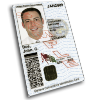
DLIFLC-EDU CAC Authentication Required
Access to this system requires a valid
Common Access Card (CAC).
⚠ Access with CAC is currently only available while in DLIFLC's EDU network. Outside of EDU network, CAC authentication is currently under maintenance.
Before you connect
- Connect to the DLIFLC EDU Network — CAC authentication requires network access from within the institutional environment
- Insert your Common Access Card into an approved card reader
- Ensure ActivClient or DoD smart card middleware is running
- Select the PIV Authentication certificate when prompted
- Enter your CAC PIN to unlock your credentials
This system is restricted to authorized DoD personnel only. Unauthorized access is prohibited and subject to penalties under 18 U.S.C. § 1030.
Windows SSL Reset Steps
- Close all browser windows.
- Open Internet Options, go to Content, then select Clear SSL state.
- Remove and reinsert your CAC card.
- Reopen browser and access this site again.
- Select PIV Authentication certificate when prompted.